You already have a Zapier or Make workflow running. A form submission creates a CRM row, a Slack message fires, a spreadsheet updates. The part that still breaks is the step before the trigger — the judgment call that no linear “when this happens, do that” logic can express. A messy email arrives and someone has to decide whether it is a real lead. A competitor page changes and someone has to decide whether the change is material. Zapier and Make execute a process you have already designed; Cowork decides what the next step should be — and the hard part is connecting the two without creating a boundary nobody is watching.
TL;DR
Zapier and Make are engines — you pre-specify every step; the AI is a node inside the graph.
Cowork is an agent — you describe an outcome and it plans steps you did not pre-specify.
The useful question is not which tool to buy; it is which step each tool should own.
Three safe patterns exist: Cowork as judge, Cowork as enrichment, Cowork as the whole loop.
Connect them with a signed, idempotent webhook and an allow-list of event types.
Approval state does not reliably persist into scheduled Cowork tasks — design for the stall.
Put the approval gate on the side that can actually enforce it.
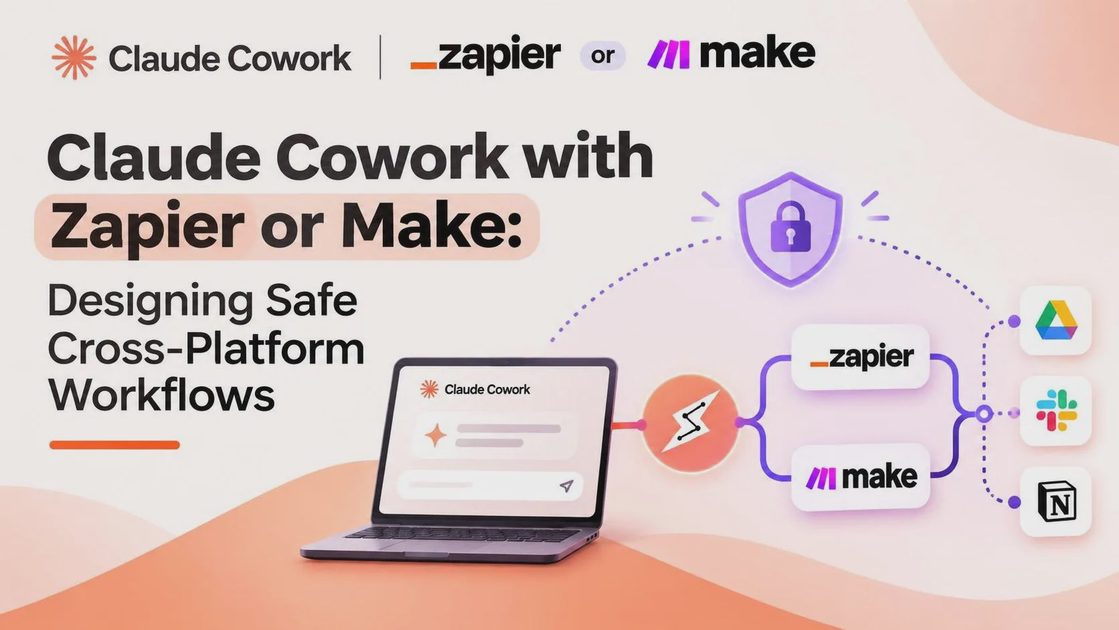
Why these are not substitutes
Zapier is breadth and speed. It connects thousands of apps through a linear trigger-action model and can put a standard SaaS-to-SaaS flow live in minutes. Pricing is per task; the entry paid plan sits around $19.99 per month for 750 tasks on annual billing. It is the right owner for reliable, pre-specified hand-offs between known services.
Make is control and cost. Its visual canvas handles branching, iterators, and error routes that become awkward in a linear list, and its per-credit model (entry around $9 per month for 10,000 credits) is more forgiving at volume. It is the right owner when the graph itself is the product and you need to see every path.
Claude Cowork is the judgment layer. You give it an outcome and it reads local files, uses connectors, browses pages, and decides steps — including steps you did not list in advance. It is the right owner for the ambiguous front end of a process, not for the deterministic back end.
You are not choosing between them. You are deciding which step each one owns. The comparison table below shows the ownership split, not a purchase recommendation.
Dimension | Zapier owns | Make owns | Cowork owns |
|---|---|---|---|
Unit of design | Trigger-action list | Visual scenario | Outcome description |
Best step type | Reliable SaaS hand-off | Complex branching graph | Ambiguous judgment |
App / data reach | 9,000+ apps | ~3,000+ apps | Connectors + files + browser |
Pricing meter | Per task | Per credit / operation | Claude plan + usage |
Lock-in risk | High | Medium-high | Low (artifacts are files) |
What it should not own alone | Open-ended planning | Open-ended planning | Unattended high-cost writes |
Three design patterns for a safe cross-platform workflow
Cowork as the front-end judge, Zapier or Make as the executor
Cowork reads the messy input (an email, a document, a page), decides whether an action is warranted, and posts a webhook only when the answer is yes. The workflow engine then executes the pre-built path. Use this when the trigger is ambiguous and the downstream action has a cost (creating a deal, sending a message, updating a financial record).
[messy input] → Cowork (judge) → webhook only if warranted → Zapier/Make (execute)The approval gate belongs on the Cowork side for the decision and on the engine side for the write. Cowork should not hold a credential that can fire every Zap you own.
Zapier or Make as the trigger, Cowork as the enrichment step
The workflow engine fires on a known, reliable event, calls Cowork through a webhook or an HTTP step, and receives a structured result it can route on. Use this when the trigger is clean (new form row, new calendar event, new Stripe payment) but the content still needs interpretation (classify urgency, extract fields, decide the next owner).
[known event] → Zapier/Make (trigger) → HTTP/webhook to Cowork (enrich) → structured result → engine routesThe approval gate for any external write should sit in the engine after Cowork returns. Cowork’s job is to return data, not to perform the side effect.
Cowork as the whole loop, with the engine as a notification sink
Cowork does the planning and the work. The only thing it hands to Zapier or Make is a status message or a record update for delivery and audit. Use this when the workflow is genuinely open-ended and the engine exists only to notify humans or to write a final row somewhere durable.
[outcome request] → Cowork (plan + execute) → status/record webhook → Zapier/Make (notify or log)The approval gate for irreversible actions belongs inside the Cowork session (Manual or supervised Auto). The engine should treat the incoming payload as a notification, not as a command that creates money movement or external messages.
The handoff: how each pattern actually connects
In every pattern the practical bridge is a webhook. Cowork (or the engine) posts a normalized JSON envelope to a Zapier Catch Hook or a Make Custom Webhook. The receiver then continues its own workflow.
{
  "event_type": "competitor_price_change",
  "idempotency_key": "2026-11-09-acme-pro-49",
  "source": "cowork-scheduled-brief",
  "payload": {
    "competitor": "Acme",
    "plan": "Pro",
    "old_price": 39,
    "new_price": 49,
    "currency": "USD",
    "source_url": "https://acme.example/pricing",
    "retrieved": "2026-11-09"
  },
  "signature": "sha256=..."
}
Three design requirements apply to all three patterns:
HMAC signature so the receiver can verify the payload came from your Cowork instance (or from the engine, depending on direction).
Idempotency key so a retried run does not fire the same downstream workflow twice.
Allow-list of event types so a compromised session cannot trigger every Zap or scenario you own.
Where the approval gate goes in each pattern
Cowork exposes three approval modes. Manual pauses before tools marked “Needs approval.” Auto lets Claude judge safety but may still pause. Skip all approvals checks nothing.
The known issue is that approval state does not reliably persist into scheduled-task execution. A task that runs cleanly while you watch can stall on a permission prompt at 07:00 with nobody present. For any pattern that includes a scheduled Cowork step, treat “Auto” as a best-effort setting, not a guarantee.
Pattern A: gate the decision on the Cowork side; gate the costly write on the Zapier/Make side.
Pattern B: let the engine fire freely on the known trigger; gate any write that follows Cowork’s enrichment.
Pattern C: keep Manual or supervised Auto inside Cowork for irreversible actions; let the engine only log or notify.
What a compromised Cowork can reach in each pattern
When Cowork reads external content (a web page, an email, a document) and also holds a webhook credential, a prompt injection can turn “summarize this file” into “trigger the payment workflow.” Documented attacks have used hidden text in documents to cause uploads of sensitive files to attacker-controlled accounts.
Three controls map directly onto the patterns:
Least-privilege webhook scope — one hook per workflow, not one hook for everything. Critical in Pattern A and Pattern C.
Payload minimization — send only the fields the downstream workflow needs; never a free-text field the model can fill. Critical in all three patterns.
Human approval on any downstream write — a webhook that creates a record or sends a message should require a Manual step on the receiving side. Critical in Pattern A and Pattern B.
The cross-platform safety checklist
Use the checklist below before any pattern goes into production.
Check | What it prevents | How to verify |
|---|---|---|
HMAC signature verified on the receiver | Spoofed webhook calls | Receiver rejects unsigned or invalid signatures |
Idempotency key on every webhook call | Duplicate downstream runs | Same key produces one execution |
Allow-listed event types | Compromised session triggering every workflow | Unknown event_type is dropped |
Webhook credential scoped to one workflow | Lateral movement across Zaps/scenarios | Credential works for only one Catch Hook / Custom Webhook |
Payload contains no model-generated free-text that reaches a write | Injection-driven content in downstream writes | Free-text fields are stripped or ignored |
Manual approval on downstream writes | Unattended side effects | Receiving scenario pauses before create/send |
Dead-man’s-switch alert if no heartbeat in 24 h | Silent stall of scheduled task | Alert fires when expected post is missing |
The checklist is the same across patterns; only the placement of the approval gate changes.
What I ran into when I connected a Cowork task to a Make webhook
I built a Pattern A workflow: Cowork judged whether a competitor price change was material and, if so, posted a JSON envelope to a Make Custom Webhook. The interactive run completed cleanly. The first scheduled run stalled on an approval prompt for the webhook connector. Switching the Cowork side to Auto did not fix it reliably. The working fix was to move the webhook call to a step that did not require connector approval and to put the approval gate on the downstream Make scenario instead. This is one workflow on one account, not a benchmark.
Stage | Interactive run | Scheduled run | What fixed it |
|---|---|---|---|
Task start | Success | Success | — |
Webhook call | Success | Stalled on approval | Moved call off connector-approval path |
Downstream workflow | Ran | Did not start | Approval gate placed on Make side |
Verification | Payload matched | No payload received until fix | Idempotency key + HMAC verified |
The failure was not in the payload design. It was in the assumption that interactive approval state would travel with the scheduled task.
Final Thoughts
Zapier and Make remain the right owners for processes you can already draw as a graph. Cowork is the right owner for the open-ended middle — the judgment that still requires reading, comparison, and a decision. When you connect them, treat the webhook as a security boundary and put the approval gate on the side that can enforce it. Before you put any cross-platform workflow into production, ask three questions: What can it do in this situation? What can go wrong if approval state does not persist or an injected instruction reaches the webhook? What should a human still review before a downstream write is allowed?
FAQ
Is Cowork a replacement for Zapier or Make?
No. It is a different layer. Use Zapier or Make for pre-specified SaaS-to-SaaS flows. Use Cowork when the steps themselves still need to be figured out.
How does Cowork trigger a Zap?
Cowork posts a JSON payload to a Zapier Catch Hook (or a Make Custom Webhook). The receiving platform then runs its own workflow. Design the payload with an idempotency key and an HMAC signature.
Why did my scheduled Cowork task stop and wait for approval?
Approval state does not reliably persist from interactive sessions into scheduled runs. A task that works while you watch can stall at 07:00 with nobody present. Put critical gates on the downstream side.
Can a prompt injection in a file trigger my Zapier workflow?
Yes, if Cowork both reads the untrusted content and holds a webhook credential that can fire the workflow. Scope the webhook tightly, minimize the payload, and require Manual approval on any downstream write.
Which is cheaper, Zapier or Make?
At low volume they are comparable. At higher volume Make’s per-credit model is usually significantly cheaper than Zapier’s per-task model.
Should I use the webhook or an MCP server to connect them?
For reliable, auditable handoffs into existing Zapier or Make scenarios, the webhook pattern is the clearer boundary. MCP servers are useful when Cowork itself needs to call an external tool during the reasoning loop; they are not a substitute for a controlled handoff into a pre-built workflow engine.
For AI tool features, usage rules and available plans, refer to their official sites.
Leave your thoughts here, too.