
Most teams know they should track competitors every month. Almost none do it consistently, because the work is repetitive and the usual output is a folder of screenshots and half-finished notes. The bottleneck is not access to competitor pages; it is turning pages into a structured artifact that survives a second reading.
TL;DR
A competitive-intelligence system is a four-part pipeline, not a one-off prompt.
The four parts are a competitor list, a fixed field set, an evidence contract, and a stakeholder-ready artifact.
Claude in Chrome reaches the pages; Cowork compiles the files.
Every captured value must carry a source_url and a retrieved date.
The weekly loop is four steps and produces a CSV, a Markdown report, and a diff.
The stakeholder update is a separate, short message derived from the diff.
Design the pipeline first; the agent only runs what you defined.
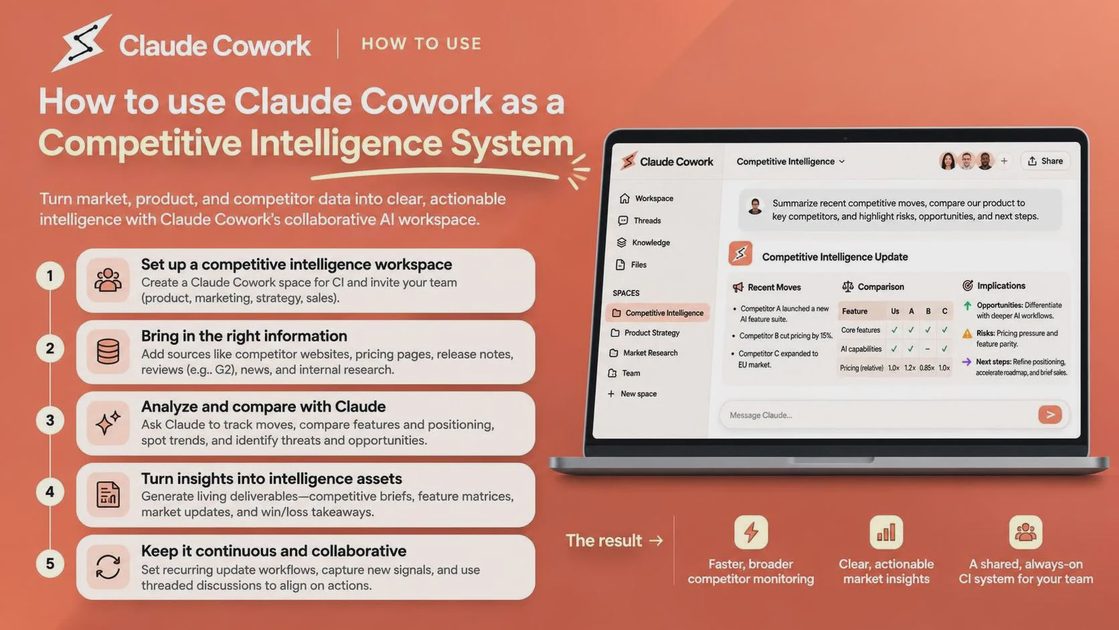
The two tools and what each one does
Claude Cowork and Claude in Chrome solve different halves of the same job. One collects; the other compiles.
Claude in Chrome navigates pages, reads content, clicks, fills forms, and extracts visible data.
Cowork reads local files, writes structured documents, and builds the final artifact.
The split is intentional: the browser hand cannot reliably maintain a multi-month CSV, and the file hand cannot reach a live pricing page.
Chrome collects; Cowork compiles — a competitive-intelligence system needs both hands.
The setup, in five steps
Install Claude in Chrome from the Chrome Web Store.
Open Cowork inside the Claude desktop app.
Connect the extension through Settings → Connectors.
Set the preferred browser under Settings → Cowork so Cowork knows to use Claude in Chrome.
Grant a working folder (for example CI/) where every output file will be written.
The browser hand only works while the desktop app is open and the machine is awake. Scheduled runs will miss their window if the laptop sleeps.
The four parts of the system
The competitor list
Keep one plain-text source of truth. Every run begins by reading this file; nothing is hard-coded inside a prompt.
# CI/competitors.md
Acme Software | https://acme.example/pricing | https://acme.example/features | https://acme.example/changelog
TechFlow | https://techflow.example/pricing | https://techflow.example/features | https://techflow.example/blog
DataBridge | https://databridge.example/plans | https://databridge.example/product | https://databridge.example/updates
The field set
Capture the same fields every month. Changing the field list breaks comparability.
Plan names
Monthly and annual price
Currency
Key features per tier
Notable limitations
Last-updated date if visible on the page
A fixed field set is what makes two months comparable — if the fields change, the comparison is gone.
The evidence contract
Every value that enters the CSV must satisfy the same rule.
source_url is required
retrieved date is required
If a value cannot be found, write not_found and the URL that was checked — never invent a price or feature
The output artifact
Every run produces three files:
CI/data/YYYY-MM.csv — the structured capture
CI/reports/YYYY-MM.md — the short narrative
CI/diff/YYYY-MM-vs-YYYY-MM.md — only the rows that changed
The CSV is the only layer a reliable diff can be computed against. Markdown alone is not enough.
The weekly loop, in four steps
Update CI/competitors.md if any URL or competitor name has changed.
Run the capture prompt (below). Cowork reads the list, Claude in Chrome visits each page, and the three output files are written.
Run the diff prompt against last month’s CSV so only real changes appear.
Skim the diff yourself and write the two-paragraph narrative. The narrative is the part the agent should not write alone.
What happened when I pointed this system at five competitors in one sitting
I ran the full pipeline against five competitor pricing pages in a single session. Four pages were public. One required a login. One used a dynamic table that loaded after the initial HTML. One pricing URL returned a 404. This is one small synthetic test, not a benchmark.
The four public pages produced complete rows once the evidence contract was enforced. The login-gated page needed a one-time manual sign-in inside Claude in Chrome before the agent could continue. The dynamic table required an explicit wait instruction. The 404 page correctly wrote not_found for every field and recorded the URL that failed. In the first run, before the evidence contract was tightened, eleven source_url fields were missing. After the contract was added those gaps disappeared. The entire pass took under twenty-five minutes of active time.
Competitor | Access method | Data captured | Missing source_url in first run | What needed fixing |
|---|---|---|---|---|
Competitor A | Public | Price, features, limitations | 2 | Added contract |
Competitor B | Public | Price, features, changelog | 3 | Added contract |
Competitor C | Public | Price, positioning | 1 | Added contract |
Competitor D | Public + wait | Price tiers (dynamic) | 2 | Wait instruction |
Competitor E | Manual login once | Price, plan names | 2 | One-time login |
Competitor F | 404 on pricing URL | not_found for all fields | 1 | Corrected URL in list |
The table shows that access method and page structure, not model quality, determined whether a clean row appeared on the first attempt.
The stakeholder update: turning the diff into a message
The CSV and the diff are for the person who owns the system. The stakeholder update is for the person who will never open either file.
text
Read CI/diff/YYYY-MM-vs-YYYY-MM.md.

Produce a Slack-formatted update with exactly three sections:
1. What changed (bullet list, one line per real change, include the competitor name)
2. What it means (two sentences maximum)
3. What we should consider doing (two or three concrete options)

Do not invent changes that are not in the diff.
Do not include raw URLs in the Slack message; keep them in the CSV.
The diff is for you; the stakeholder update is for the person who will never open the CSV.
The prompt-injection caveat
A competitor page is untrusted input. The browser does not sanitize it.
Three rules reduce the risk:
Start only on sites you already trust.
Never point the capture at a page you have not opened yourself at least once.
Keep a separate browser profile used only for competitor research.
A competitor page is untrusted input — the browser does not sanitize it.
How to verify the monthly report before you send it
Run three checks before any artifact leaves the workspace.
Every row in the CSV contains a source_url.
Every URL still resolves on the stated retrieved date.
The diff contains only fields that actually changed.
Part | File or artifact | What it must contain | What it prevents |
|---|---|---|---|
Competitor list | CI/competitors.md | Name + three stable URLs per competitor | Hard-coded or drifting URLs |
Field set | Fixed list in the capture prompt | Same columns every month | Incomparable months |
Evidence contract | source_url + retrieved on every row | not_found when missing | Invented prices or features |
Output artifact | CSV + Markdown report + diff | Machine-readable CSV as source of truth | Narrative that cannot be verified |
The table is the acceptance gate. A report that fails any row is incomplete.
Final Thoughts
A competitive-intelligence system is a pipeline you own, not a prompt you hope works. Define the list, the fields, the evidence contract, and the output shape first; then let Cowork and Claude in Chrome run the steps. Before you send any monthly report, ask three questions: Does every row carry a source_url and a retrieved date? Do those URLs still resolve? Does the stakeholder update contain only changes that appear in the diff?
FAQ
Do I need Claude in Chrome, or does the built-in browser work?
Claude in Chrome is the current reliable hand for this system. The built-in browser can reach pages, but the extension path is the one that integrates cleanly with the desktop app’s connector settings today. Install Claude in Chrome and connect it through Settings → Connectors.
Can Cowork log into a competitor’s gated pricing page?
It can continue after a one-time manual sign-in inside the browser. It cannot invent or store credentials on its own. Treat any gated page as a supervised step.
Why does the system need a CSV if the report is Markdown?
The CSV is the only layer a reliable month-over-month diff can be computed against. Markdown is for reading; the CSV is for comparison.
What happens when a competitor changes its page layout?
Fields may come back as not_found. The evidence contract keeps the gap visible. Update the competitor list or the wait instructions and re-run; do not loosen the contract.
Can the monthly run be scheduled?
Yes. Once the prompts and folder structure are stable, turn the capture step into a scheduled Cowork task. The desktop app must be open and the machine awake at the scheduled time.
How do I stop Cowork from guessing a price when the page does not list one?
Include the explicit rule in every capture prompt: “If you cannot find a value, write not_found and the URL you checked — do not guess.” Enforce it in the verification step before any report is sent.
For AI tool features, usage rules and available plans, refer to their official sites.
Leave your thoughts here, too.